
Lincoln Navigator: Wipers and Washers / Rear Window Wiper Motor. Removal and Installation
Special Tool(s) / General Equipment
| Interior Trim Remover |
Removal
NOTE: Removal steps in this procedure may contain installation details.
-
Open the liftgate window glass.
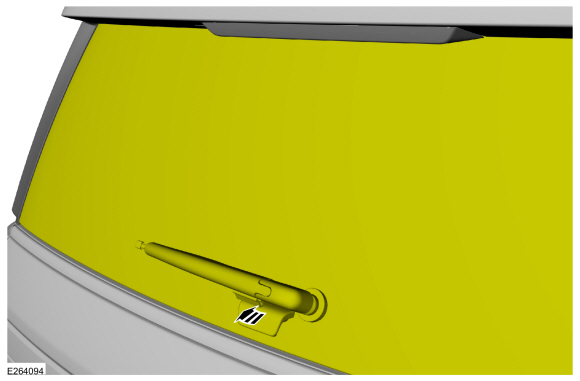 |
-
Remove the wiper pivot shaft trim cover.
-
Remove the wiper pivot shaft trim cover bolts.
Torque: 28 lb.in (3.2 Nm)
-
Remove the wiper pivot shaft trim cover.
-
Remove the wiper pivot shaft trim cover bolts.
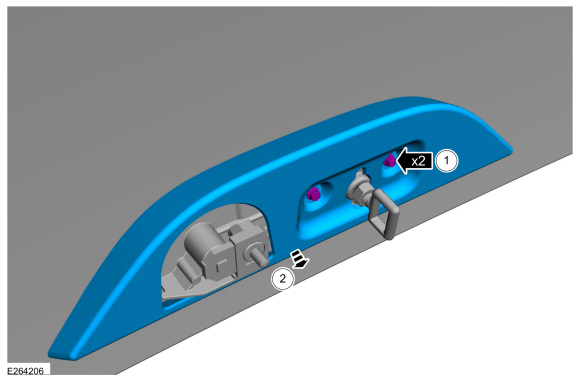 |
-
Remove the pin-type retainers and the upper wiper motor trim cover.
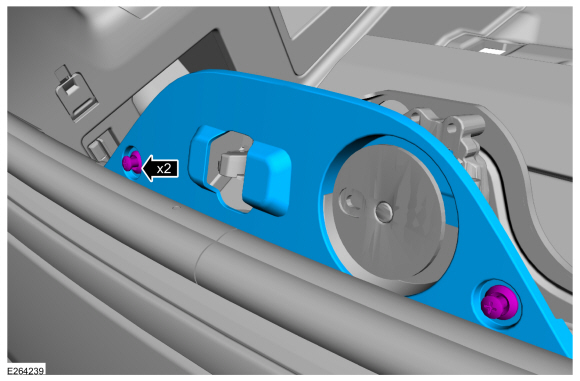 |
-
Close the liftgate window glass.
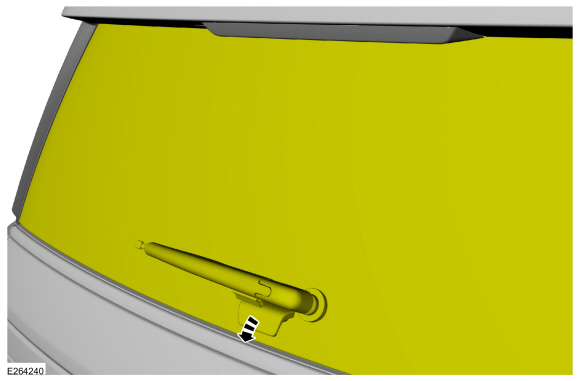 |
-
Remove the rear window wiper pivot arm.
Refer to: Rear Window Wiper Pivot Arm (501-16 Wipers and Washers, Removal and Installation).
-
Remove the pivot shaft nut cover.
Use the General Equipment: Interior Trim Remover
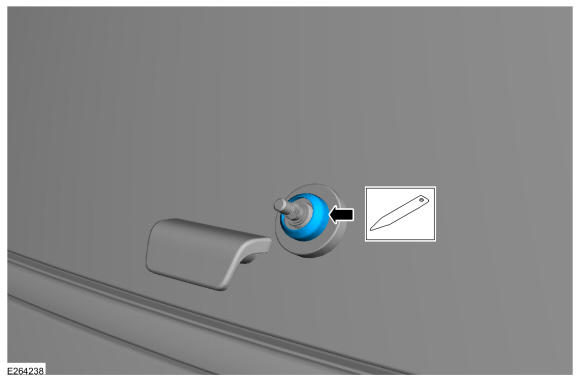 |
-
Remove the pivot shaft nut.
Torque: 159 lb.in (18 Nm)
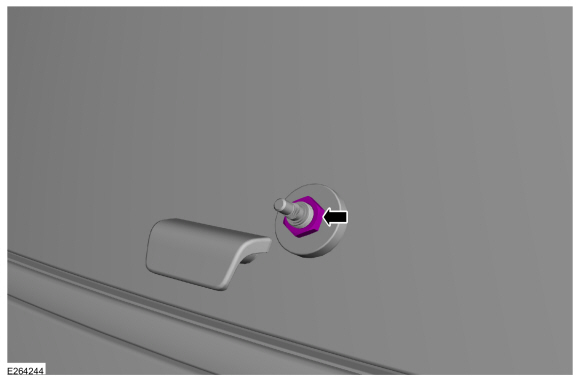 |
-
Remove the liftgate trim panel.
Refer to: Liftgate Trim Panel (501-05 Interior Trim and Ornamentation, Removal and Installation).
-
Disconnect the wiper motor and liftgate window latch
electrical connectors, detach the wiring retainer and position the
wiring aside.
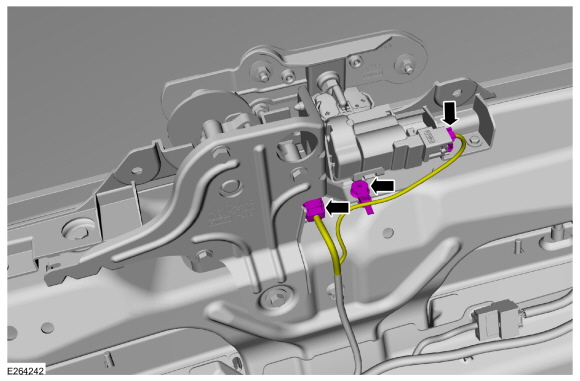 |
-
-
Remove the lower wiper motor trim cover screws.
-
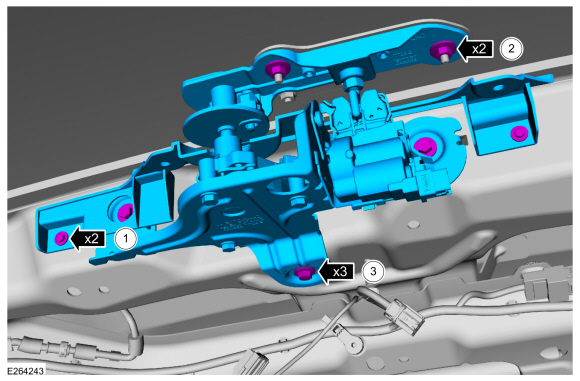
Remove the wiper arm and pivot shaft nuts.
Torque: 53 lb.in (6 Nm)
-
Remove the wiper motor and bracket assembly bolts and the wiper motor and bracket assembly.
Torque: 97 lb.in (11 Nm)
-
Remove the lower wiper motor trim cover screws.
 |
Installation
-
To install, reverse the removal procedure.
 Rear Window Washer Jet. Removal and Installation
Removal
NOTE:
Removal steps in this procedure may contain installation details.
Remove the rear spoiler.
Refer to: Rear Spoiler (501-08 Exterior Trim and Ornamentation, Removal and Installation)...
 Rear Window Wiper Pivot Arm. Removal and Installation
Special Tool(s) /
General Equipment
Two Leg Puller
Removal
NOTE:
Removal steps in this procedure may contain installation details...
Other information:
Lincoln Navigator 2018-2026 Workshop Manual: Brake Caliper Anchor Plate. Removal and Installation
Removal NOTE: Removal steps in this procedure may contain installation details. Remove the brake pads. Refer to: Brake Pads (206-03 Front Disc Brake, Removal and Installation). Remove the bolts and the anchor plate...
Lincoln Navigator 2018-2026 Workshop Manual: Front Door Latch. Removal and Installation
Special Tool(s) / General Equipment Interior Trim Remover Removal NOTE: LH side shown, RH side similar. NOTE: Removal steps in this procedure may contain installation details. Remove the front door trim panel...
Categories
- Manuals Home
- 4th Gen Lincoln Navigator Service Manual (2018 - 2026)
- All Terrain Control Module (ATCM). Removal and Installation
- Identification Codes. Description and Operation
- Rear View Mirrors - System Operation and Component Description. Description and Operation
- Rear Bumper. Removal and Installation
- Transmission Fluid Drain and Refill. General Procedures
Rear Camber Adjustment. General Procedures
Special Tool(s) / General Equipment
Wheel Alignment SystemActivation
NOTICE: Suspension fasteners are critical parts that affect the performance of vital components and systems. Failure of these fasteners may result in major service expense. Use the same or equivalent parts if replacement is necessary. Do not use a replacement part of lesser quality or substitute design. Tighten fasteners as specified.
Using alignment equipment and the manufacturer's instructions, measure the rear camber.Use the General Equipment: Wheel Alignment System
