
Lincoln Navigator: Interior Trim and Ornamentation / Liftgate Trim Panel. Removal and Installation
Removal
-
Release the clips and remove the liftgate upper middle trim panel.
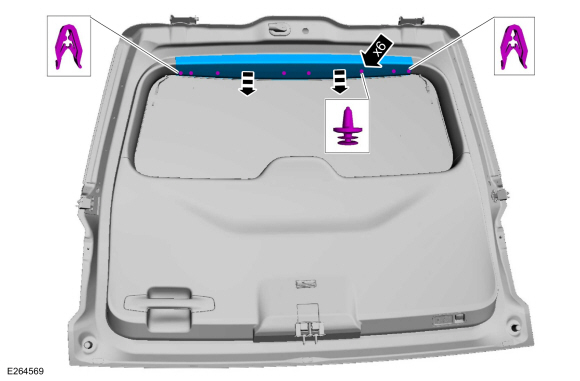 |
-
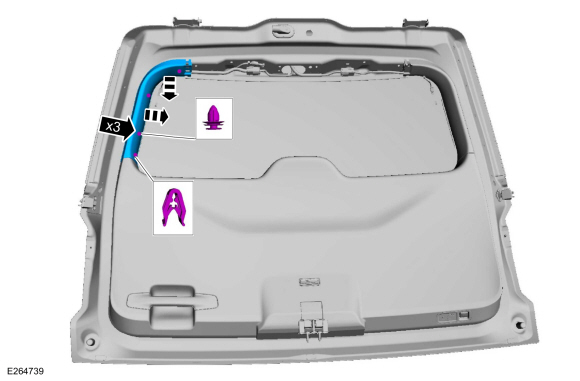
NOTE: LH shown, RH similar.
On both sides.
Release the clips and remove the liftgate side trim panel.
 |
-
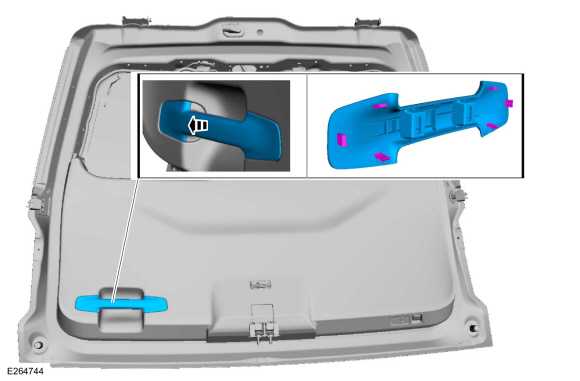
Release the tabs and remove the liftgate handle bolt cover.
 |
-
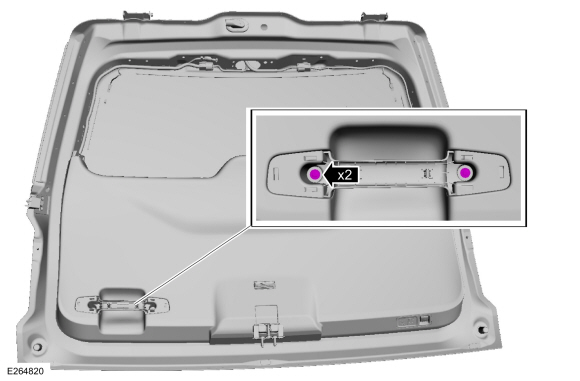
Remove the liftgate handle bolts.
 |
-
Release the liftgate trim panel clips.
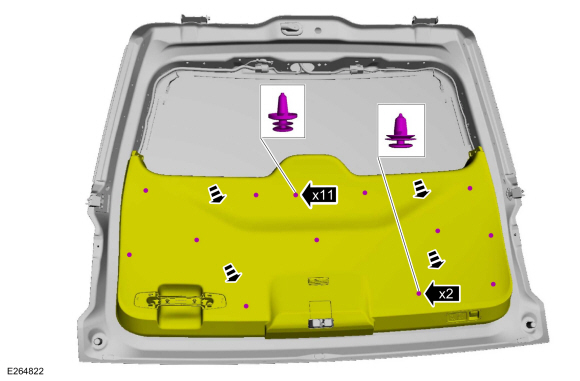 |
-
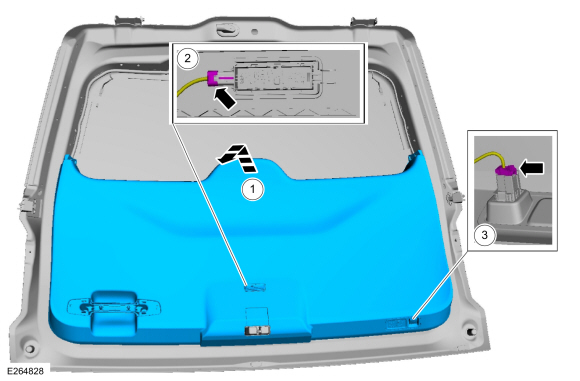
Remove the liftgate trim panel.
-
Lift upward on the liftgate trim panel.
-
Disconnect the liftgate interior light electrical connector.
-
If equipped.
Disconnect the power liftgate switch electrical connector.
-
Lift upward on the liftgate trim panel.
 |
Installation
-
To install, reverse the removal procedure.
-
Transfer parts as necessary.
-
Transfer parts as necessary.
 Headliner - Lowering. Removal and Installation
Special Tool(s) /
General Equipment
Flat-Bladed Screwdriver
Interior Trim Remover
Remove the following items:
On both sides...
 Loadspace Trim Panel. Removal and Installation
Special Tool(s) /
General Equipment
Interior Trim Remover
Removal
NOTE:
LH shown, RH similar.
NOTE:
Long wheelbase shown, short wheelbase similar...
Other information:
Lincoln Navigator 2018-2026 Workshop Manual: B Clutch. Description and Operation
Overview Item Description 1 SSB 2 B clutch control valve 3 B clutch latch valve 4 B clutch apply circuit 5 B clutch piston 6 B clutch assembly 7 One-Way Clutch (OWC) ..
Lincoln Navigator 2018-2026 Workshop Manual: Steering Column Multifunction Switch RH. Removal and Installation
Removal NOTE: Removal steps in this procedure may contain installation details. Remove the steering column shrouds. Refer to: Steering Column Shrouds (501-05 Interior Trim and Ornamentation, Removal and Installation). Remove the steering column multifunction switch retainers. Remove the steering colum..
Categories
- Manuals Home
- 4th Gen Lincoln Navigator Service Manual (2018 - 2026)
- Identification Codes. Description and Operation
- All Terrain Control Module (ATCM). Removal and Installation
- Brake Service Mode Activation and Deactivation. General Procedures
- Front Bumper Cover. Removal and Installation
- Transmission Fluid Drain and Refill. General Procedures
Differential Case Runout Check. General Procedures
Special Tool(s) / General Equipment
 205-1016
Installer, Differential Bearing
TKIT-2014D-ROW2
TKIT-2014D-FL_ROW
 205-153
(T80T-4000-W)
205-153
(T80T-4000-W)
Handle
 205-D061
(D83T-4205-C2)
205-D061
(D83T-4205-C2)
Step Plate Dial Indicator Three Leg Puller Punch
