
Lincoln Navigator: Engine Cooling - 3.5L EcoBoost (272kW/370PS) / Radiator. Removal and Installation
Removal
NOTE: Removal steps in this procedure may contain installation details.
-
Drain the cooling system.
Refer to: Engine Cooling System Draining, Vacuum Filling and Bleeding (303-03 Engine Cooling - 3.5L EcoBoost (272kW/370PS), General Procedures).
-
Remove the cooling fan motor and shroud.
Refer to: Cooling Fan Motor and Shroud (303-03 Engine Cooling - 3.5L EcoBoost (272kW/370PS), Removal and Installation).
-
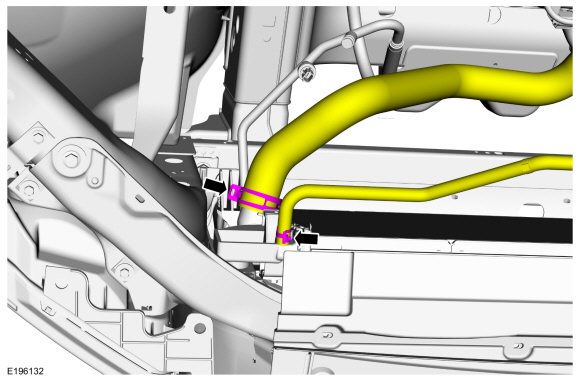
Release the clamps and disconnect the upper radiator hose and the coolant hose.
 |
-
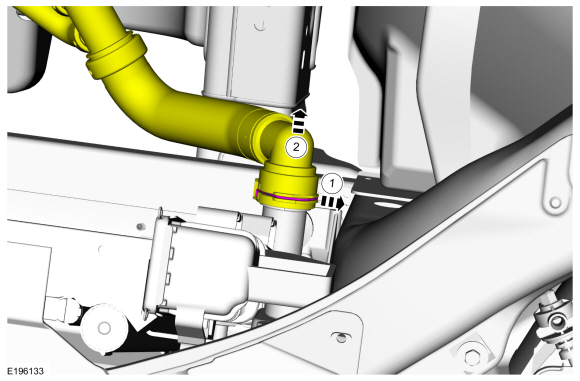
Pull the lower radiator hose spring clip until the end
of the clip is in the detent on the quick connect coupling and
disconnect the lower radiator hose.
 |
-
Remove the upper active grille shutter.
Refer to: Active Grille Shutter (501-02 Front End Body Panels, Removal and Installation).
-
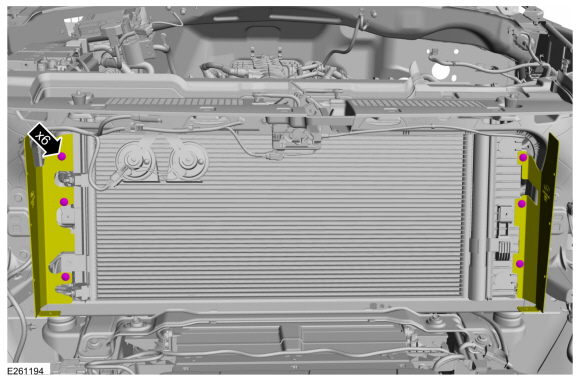
Remove the pin-type retainers.
 |
-
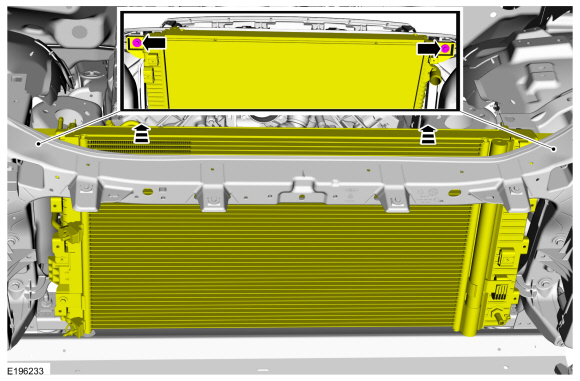
Remove the radiator retainers and tilt cooling module backwards.
Torque: 133 lb.in (15 Nm)
 |
-
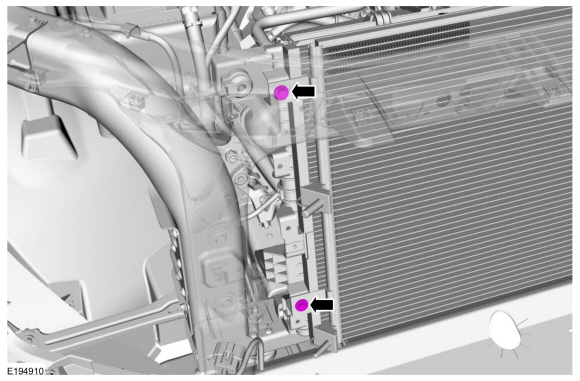
Remove the condenser retainers.
Torque: 62 lb.in (7 Nm)
 |
-
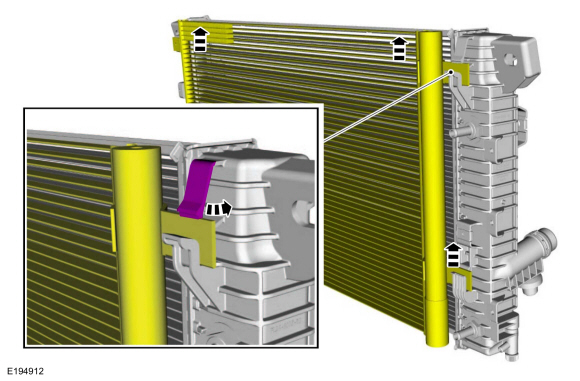
Release the tab and position the condenser upward to separate the condenser from the radiator.
 |
-
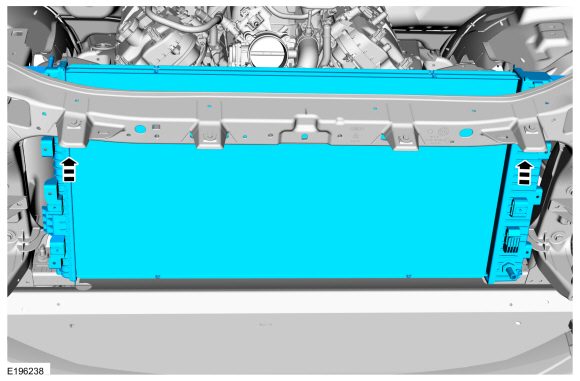
Remove the radiator.
 |
Installation
-
To install, reverse the removal procedure.
-
Fill and bleed the cooling system.
Refer to: Engine Cooling System Draining, Vacuum Filling and Bleeding (303-03 Engine Cooling - 3.5L EcoBoost (272kW/370PS), General Procedures).

 Thermostat. Removal and Installation
Materials
Name
Specification
Motorcraft® Yellow Concentrated Antifreeze/CoolantVC-13-G
WSS-M97B57-A1
Motorcraft® Orange Concentrated Antifreeze/CoolantVC-3-B
WSS-M97B44-D
Removal
NOTE:
Removal steps in this procedure may contain installation details...
Other information:
Lincoln Navigator 2018-2026 Workshop Manual: Accessory Drive Belt Tensioner. Removal and Installation
Removal NOTE: Removal steps in this procedure may contain installation details. Remove the accessory drive belt. Refer to: Accessory Drive Belt (303-05C) . Remove the bolts and the accessory drive belt tensioner...
Lincoln Navigator 2018-2026 Workshop Manual: Shock Absorber and Spring Assembly. Disassembly and Assembly
Special Tool(s) / General Equipment Spring Compressor Vise DISASSEMBLY NOTICE: Suspension fasteners are critical parts that affect the performance of vital components and systems. Failure of these fasteners may result in major service expense...
Categories
- Manuals Home
- 4th Gen Lincoln Navigator Service Manual (2018 - 2026)
- Windshield Washer Pump. Removal and Installation
- All Terrain Control Module (ATCM). Removal and Installation
- Power Running Board (PRB). Diagnosis and Testing
- Vehicle Dynamics Control Module (VDM). Removal and Installation
- Rear Bumper. Removal and Installation
Diagnostic Methods. Description and Operation
This document provides critical diagnostic knowledge required for successful repair outcomes. It identifies technical competencies expected by users of this manual.
Ford Diagnostic Assumptions
Ford diagnostics assume the vehicle concern described by the test title is currently present. Exceptions to this rule are noted in each test. Do not replace modules or other components as directed by a diagnostic if the concern is not present at the time of testing.
