
Lincoln Navigator: Third Row Seats / Third Row Double Seat Frame. Removal and Installation
Removal
 WARNING:
The following procedure describes critical repair steps
required for correct seat component installation. Follow all notes and
steps carefully. Do not place any objects between the seat components
and the body of the vehicle, nor any objects within a joint internal to
the seat structure. Failure to follow step instructions may result in
incorrect operation of the seat components and increases the risk of
serious personal injury.
WARNING:
The following procedure describes critical repair steps
required for correct seat component installation. Follow all notes and
steps carefully. Do not place any objects between the seat components
and the body of the vehicle, nor any objects within a joint internal to
the seat structure. Failure to follow step instructions may result in
incorrect operation of the seat components and increases the risk of
serious personal injury.
NOTE: Removal steps in this procedure may contain installation details.
-
Remove the third double row seat.
Refer to: Third Row Seat (501-10C Third Row Seats, Removal and Installation).
-
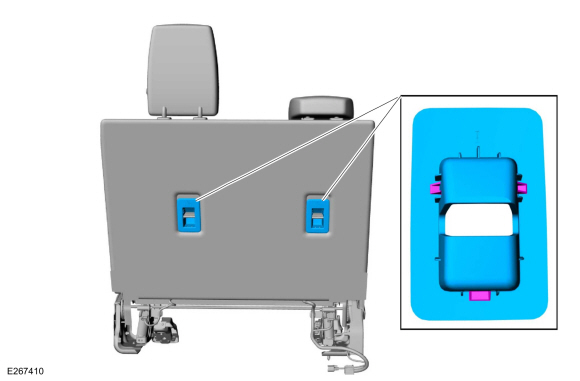
Remove the child safety seat tether anchor bezels.
 |
-
-
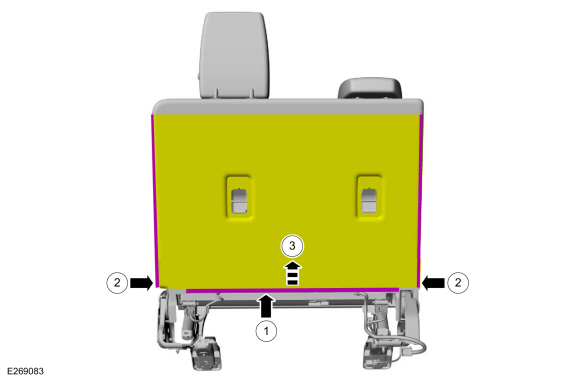
Release the third row double seat backrest cover the J-clip.
-
Unzip the third row double seat backrest cover.
-
Position the third row double seat backrest cover flap aside.
-
Release the third row double seat backrest cover the J-clip.
 |
-
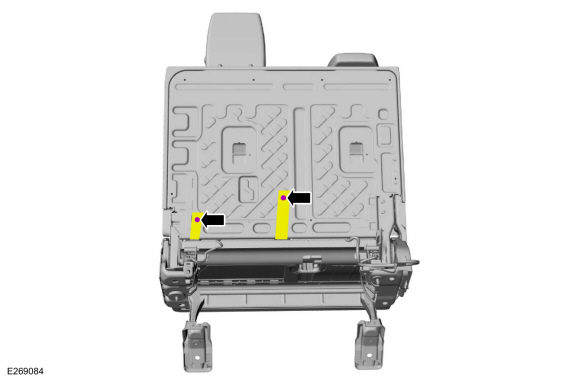
Remove the pin-type retainers and position the third row double seat backrest cover straps aside.
 |
-
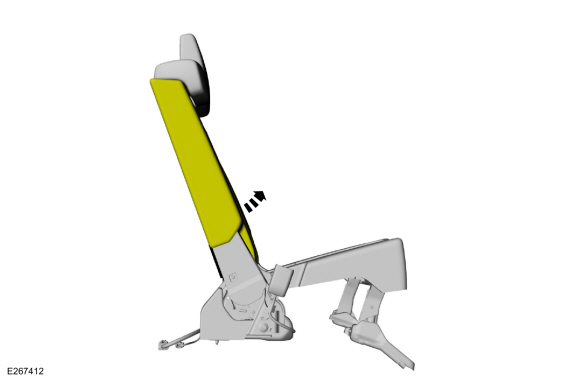
Lift the third row double seat backrest cover.
 |
-
Remove the screws and the third row double seat RH side shield.
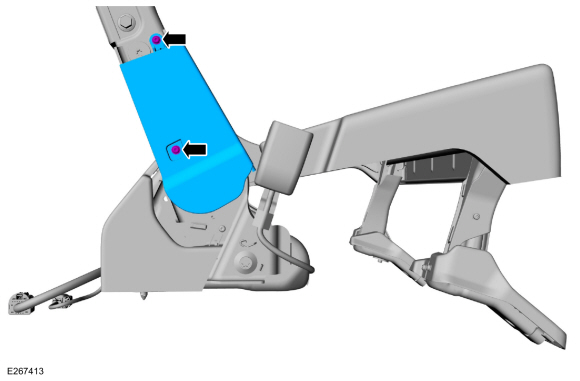 |
-
Remove the screws and the third row double seat LH side shield.
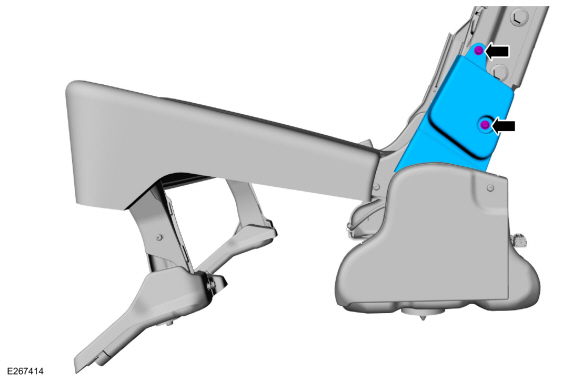 |
-
On both sides.
Remove the screws and the third row double seat pivot arm covers.
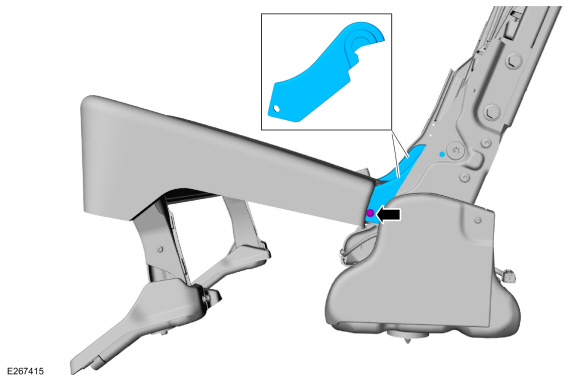 |
-
Remove the bolts and the third row double seat frame.
Torque: 33 lb.ft (45 Nm)
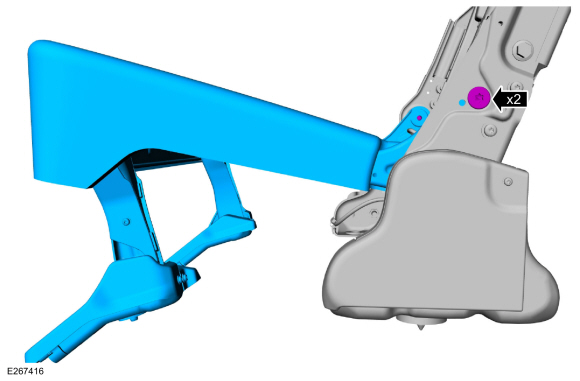 |
-
NOTE: This step is only necessary when installing a new component.
Remove the third row double seat cushion cover.
Refer to: Third Row Double Seat Cushion Cover (501-10C Third Row Seats, Removal and Installation).
Installation
-
NOTE: Transfer components to the new third row double seat frame as necessary.
To install, reverse the removal procedures.
 Third Row Double Seat Cushion Cover. Removal and Installation
Removal
Remove the third row double seat.
Refer to: Third Row Seat (501-10C Third Row Seats, Removal and Installation).
Detach the third row double seat cushion cover J-clips...
 Third Row Seat. Removal and Installation
Removal
WARNING:
The following procedure describes critical repair steps
required for correct seat component installation. Follow all notes and
steps carefully...
Other information:
Lincoln Navigator 2018-2026 Workshop Manual: B Clutch. Diagnosis and Testing
Symptom Chart B Clutch For B clutch operation, REFER to: B Clutch (307-01 Automatic Transmission - 10-Speed Automatic Transmission – 10R80, Description and Operation). B Clutch Condition Possible Sources Action B clutch does not apply SSB mechanically stuck OFF INSTALL a new sole..
Lincoln Navigator 2018-2026 Workshop Manual: Engine Emission Control - Component Location. Description and Operation
Item Description 1 Differential pressure feedback EGR sensor. 2 EGR outlet tube. 3 EGR temperature sensor. 4 EGR back pressure sensor. 5 PCV valve. 6 EGR valve. 7 EGR cooler. ..
Categories
- Manuals Home
- 4th Gen Lincoln Navigator Service Manual (2018 - 2026)
- Power Running Board (PRB). Diagnosis and Testing
- Telematics Control Unit (TCU) Module. Removal and Installation
- Liftgate Trim Panel. Removal and Installation
- Identification Codes. Description and Operation
- Vehicle Dynamics Control Module (VDM). Removal and Installation
Wheel to Hub Runout Minimization. General Procedures
Check
NOTE: Wheel-to-hub optimization is important. Clearance between the wheel and hub can be used to offset or neutralize the Road Force® or run-out of the wheel and tire assembly. For every 0.001 inch of wheel-to-hub clearance, the Road Force® can be affected between 1 and 3 pounds depending on the tire stiffness.
NOTE: The example below illustrates how the clearance between the wheel and the hub can be used to offset the high spot of radial run-out or Road Force®. Following the procedure will make sure of the best optimization.
Position the wheel and tire assembly on the vehicle so that the high spot location of radial run-out or Road Force® is at the 6 o'clock position and