
Lincoln Navigator: Climate Control System - General Information / Passenger Side Register. Removal and Installation
Removal
NOTE: Removal steps in this procedure may contain installation details.
-
Remove the FDIM .
Refer to: Front Display Interface Module (FDIM) (415-00 Information and Entertainment System - General Information - Vehicles With: SYNC 4, Removal and Installation).
-
Remove the light assembly.
-
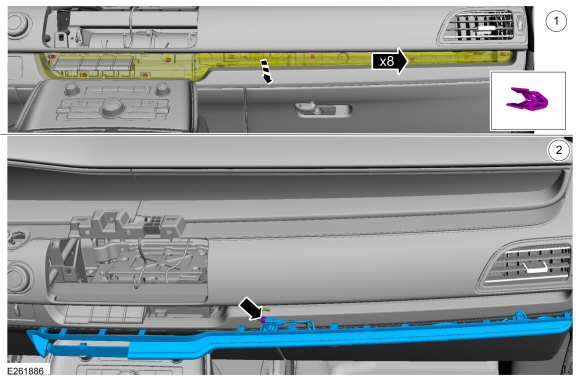
Release the clips and position the light assembly.
-
Disconnect the electrical connector.
-
Release the clips and position the light assembly.
 |
-
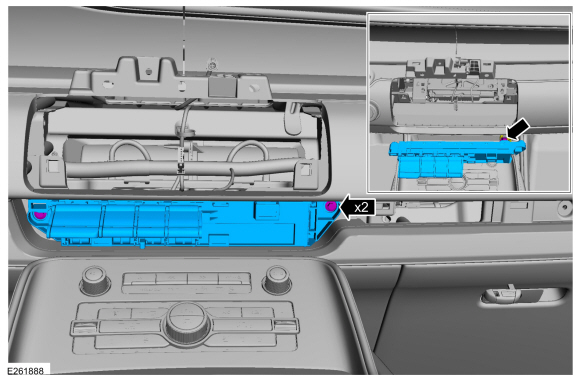
Remove the screws, disconnect the electrical connector and remove the transmission control switch assembly.
Torque: 22 lb.in (2.5 Nm)
 |
-
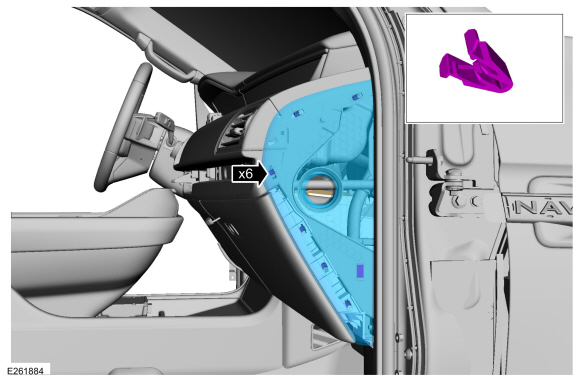
Remove the RH instrument panel trim cover.
 |
-
Release the clips and remove the RH trim cover.
 |
-
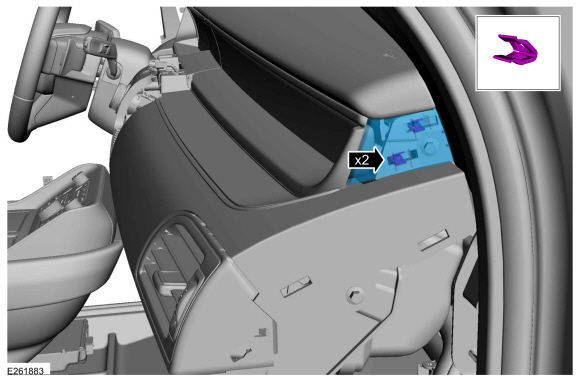
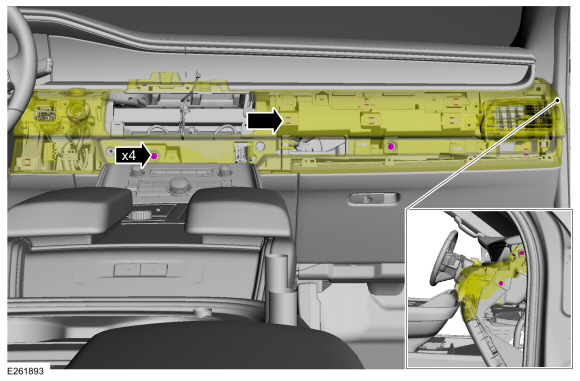
Remove the screws, separate the clips and position the center instrument panel trim panel forward.
Torque: 22 lb.in (2.5 Nm)
 |
-
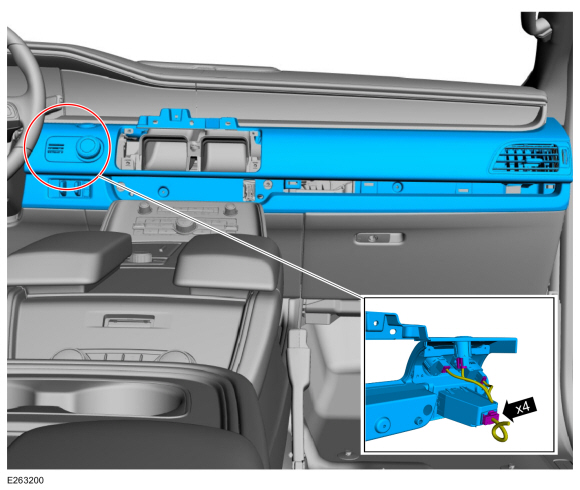
Disconnect the electrical connectors and remove the center instrument panel trim panel.
 |
-
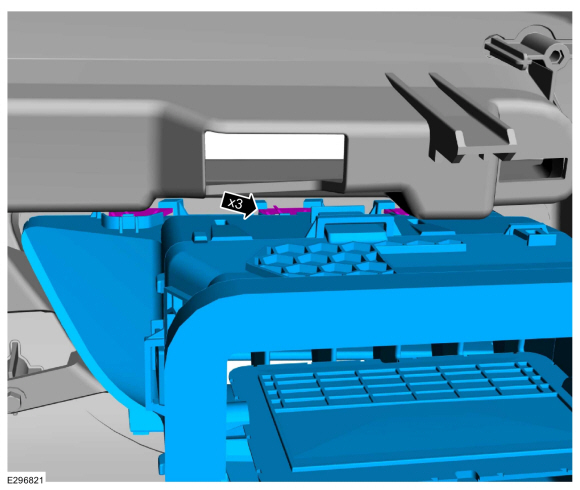
Release the top retaining clips and remove the bolts..
 |
-
Release the retaining clips along the bottom and remove the passenger side register.
 |
Installation
-
To install, reverse the removal procedure.
 Passenger Side Footwell Air Discharge Temperature Sensor. Removal and Installation
Removal
NOTE:
Removal steps in this procedure may contain installation details.
Remove the climate control housing.
Refer to: Climate Control Housing (412-00 Climate Control System - General Information, Removal and Installation)...
 Passenger Side Register Air Discharge Temperature Sensor. Removal and Installation
Special Tool(s) /
General Equipment
Interior Trim Remover
Removal
NOTE:
Removal steps in this procedure may contain installation details...
Other information:
Lincoln Navigator 2018-2026 Workshop Manual: Bodyside Moulding. Removal and Installation
Removal NOTE: Removal steps in this procedure may contain installation details. NOTE: LWB (long wheel base) shown, SWB (short wheel base) similar. NOTE: RH side views shown, LH side similar. Using a non-marring trim tool, detach the push pin retainers and remove the bodyside moulding...
Lincoln Navigator 2018-2026 Workshop Manual: Rear Stabilizer Bar. Removal and Installation
Removal NOTICE: Suspension fasteners are critical parts that affect the performance of vital components and systems. Failure of these fasteners may result in major service expense. Use the same or equivalent parts if replacement is necessary...
Categories
- Manuals Home
- 4th Gen Lincoln Navigator Service Manual (2018 - 2026)
- Neutral Flat Tow Activation and Deactivation. General Procedures
- Remote Function Actuator (RFA) Module. Removal and Installation
- Windshield Washer Pump. Removal and Installation
- Front Bumper Cover. Removal and Installation
- Body and Paint
Rear Drive Halfshafts. Diagnosis and Testing
Preliminary Inspection
Visually inspect the CV joints, housing, boots, and clamps for obvious signs of mechanical damage.If an obvious cause for an observed or reported concern is found, correct the cause (if possible) before proceeding to the next step
If the cause is not visually evident, verify the symptom and REFER to Symptom Chart: NVH.
