
Lincoln Navigator: Passive Anti-Theft System (PATS) - Vehicles With: Phone as a Key / Bluetooth Floor Console Antenna. Removal and Installation
Special Tool(s) / General Equipment
| Interior Trim Remover |
Removal
-
Release the clips and remove the floor console front trim panel.
Use the General Equipment: Interior Trim Remover
 |
-
Remove the floor console finish panel front bolts.
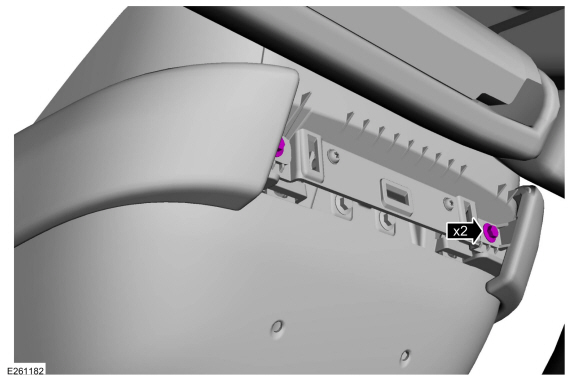 |
-
Position the floor console armrest in the upward position.
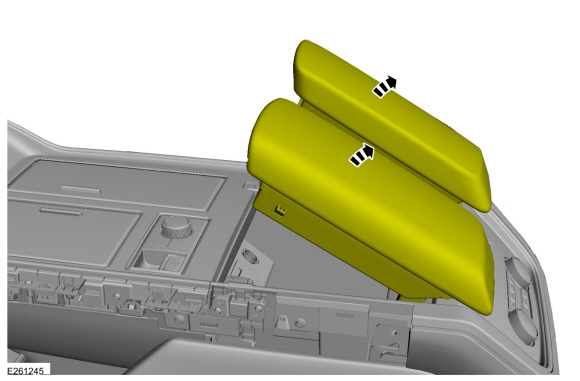 |
-
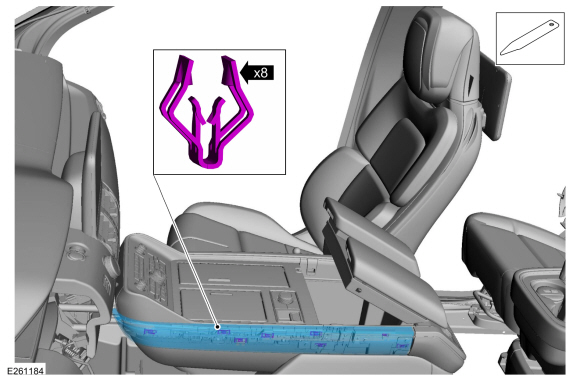
NOTE: LH (left hand) shown, RH (right hand) similar.
On both sides.
Release the clips and remove the floor console finish panel.
Use the General Equipment: Interior Trim Remover
 |
-
Remove the floor console upper trim panel screws.
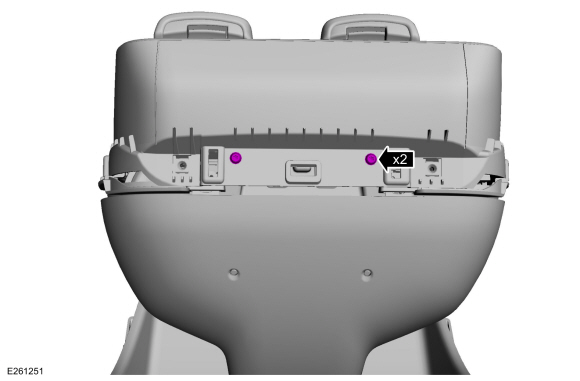 |
-
Remove the floor console upper trim panel.
-
On both sides.
Remove the floor console upper trim panel screws.
-
On both sides.
Release the floor console upper trim panel clips.
-
Disconnect the floor console upper trim panel electrical connectors and separate the wire harness guide.
-
On both sides.
 |
-
Remove the floor console panel.
-
Remove the floor console panel screws.
-
Release the floor console panel clips.
-
Disconnect the EPB switch electrical connector.
-
If equipped.
Disconnect the MSS electrical connector.
-
Remove the floor console panel screws.
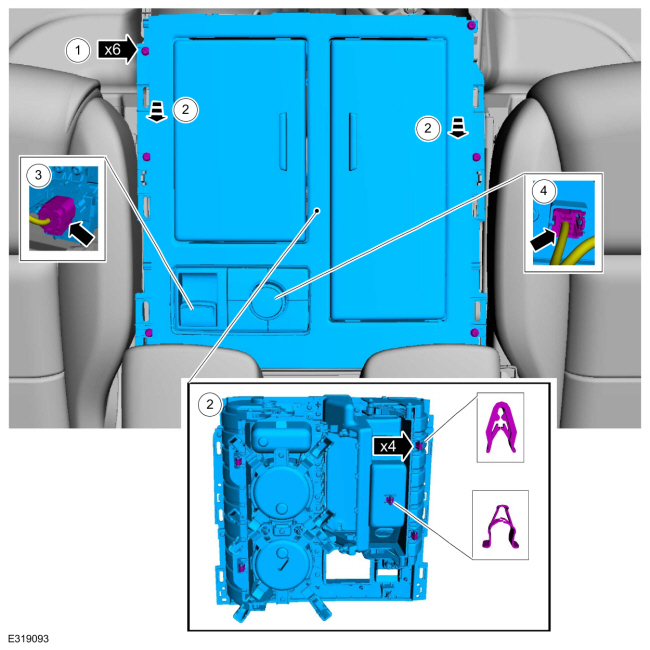 |
-
Remove the bluetooth floor console antenna.
-
Disconnect the bluetooth floor console antenna electrical connector.
-
Release the bluetooth floor console antenna clip.
Use the General Equipment: Interior Trim Remover
-
Disconnect the bluetooth floor console antenna electrical connector.
 |
Installation
-
To install, reverse the removal procedure.
-
Using the diagnostic scan tool, carry out the remote function actuator (RFA) module self test.
 Passive Anti-Theft System (PATS). Diagnosis and Testing
Diagnostic Trouble Code (DTC) Chart
Diagnostics in this manual assume a certain skill level and knowledge of Ford-specific diagnostic practices. REFER to: Diagnostic Methods (100-00 General Information, Description and Operation)...
 Bluetooth Front Exterior Antenna. Removal and Installation
Special Tool(s) /
General Equipment
Interior Trim Remover
Removal
Remove the front bumper cover.
Refer to: Front Bumper Cover (501-19 Bumpers, Removal and Installation)...
Other information:
Lincoln Navigator 2018-2026 Workshop Manual: Health and Safety Precautions. Description and Operation
General Service Warnings Review carefully the information below before beginning any repair. Following these warnings is a list of specific system warnings that must be reviewed before beginning work on any listed system. WARNING: Vehicles equipped with an automatic transmission and a Telematics Control Unit (TCU) have remote start technology and may start the eng..
Lincoln Navigator 2018-2026 Workshop Manual: E Clutch. Diagnosis and Testing
Symptom Chart E Clutch For E clutch operation, REFER to: E Clutch (307-01 Automatic Transmission - 10-Speed Automatic Transmission – 10R80, Description and Operation). E Clutch Condition Possible Sources Action E clutch does not apply SSE mechanically stuck OFF INSTALL a new sole..
Categories
- Manuals Home
- 4th Gen Lincoln Navigator Service Manual (2018 - 2026)
- Body Control Module (BCM). Removal and Installation
- Rear View Mirrors - System Operation and Component Description. Description and Operation
- Front Seat. Removal and Installation
- Transmission Fluid Level Check. General Procedures
- Telematics Control Unit (TCU) Module. Removal and Installation
Differential Case Runout Check. General Procedures
Special Tool(s) / General Equipment
 205-1016
Installer, Differential Bearing
TKIT-2014D-ROW2
TKIT-2014D-FL_ROW
 205-153
(T80T-4000-W)
205-153
(T80T-4000-W)
Handle
 205-D061
(D83T-4205-C2)
205-D061
(D83T-4205-C2)
Step Plate Dial Indicator Three Leg Puller Punch
