Lincoln Navigator: Second Row Seats / Second Row Center Seat Backrest Cover. Removal and Installation
Removal
NOTE:
Removal steps in this procedure may contain installation details.
-
Remove the second row center seat.
Refer to: Second Row Center Seat (501-10B Second Row Seats, Removal and Installation).
-
Remove the second row center seat head restraint guide sleeves.
Refer to: Second Row Seat Head Restraint Guide Sleeve (501-10B Second Row Seats, Removal and Installation).
-
Remove the second row seat manual release handle.
Refer to: Second Row Seat Manual Release Handle (501-10B Second Row Seats, Removal and Installation).
-
-
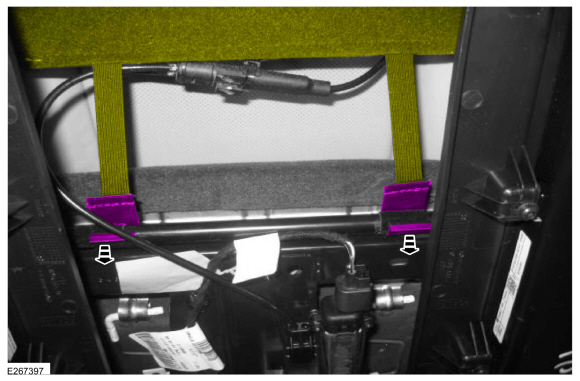
Release the hook-and-loop strip and position the second row center seat cushion strap aside.
-
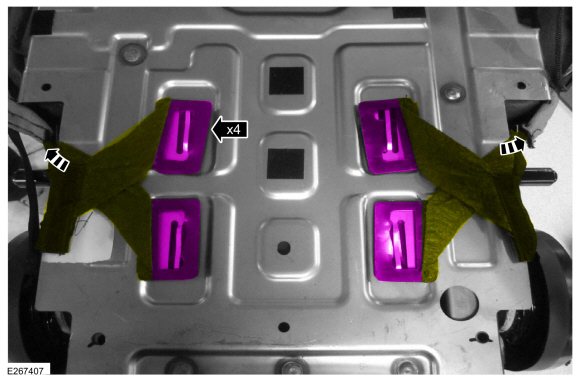
Detach the second row center seat cushion cover side J-clips.
-
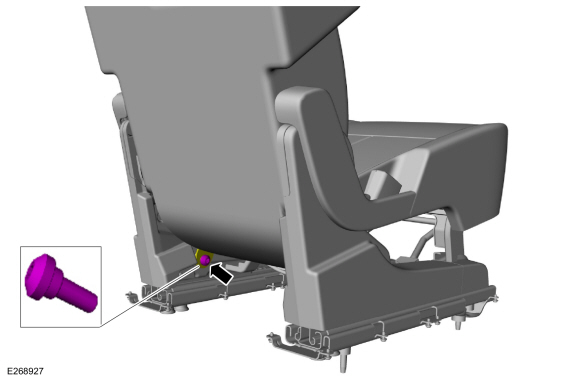
Remove the second row center seatbelt anchor bolt and position the anchor aside.
Torque:
30 lb.ft (40 Nm)
-
On both sides.
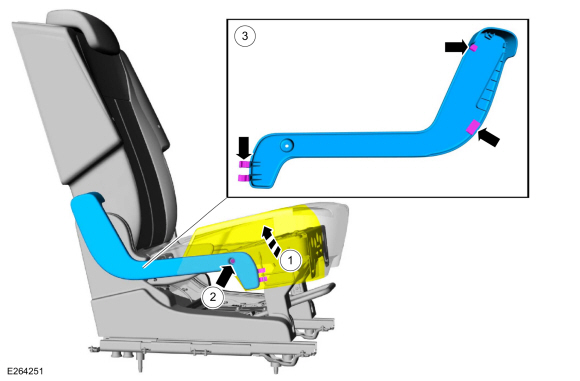
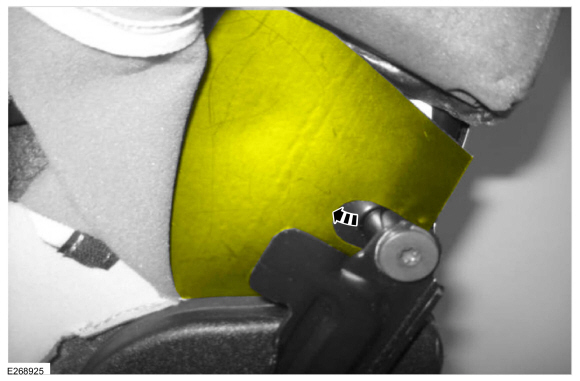
Remove the second row center seat cushion pivot arm covers.
-
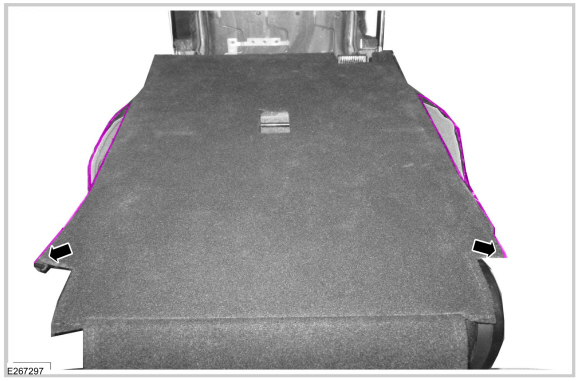
Raise the side of the seat cushion cover and foam.
-
Remove the screw.
-
Release the retainers.
-
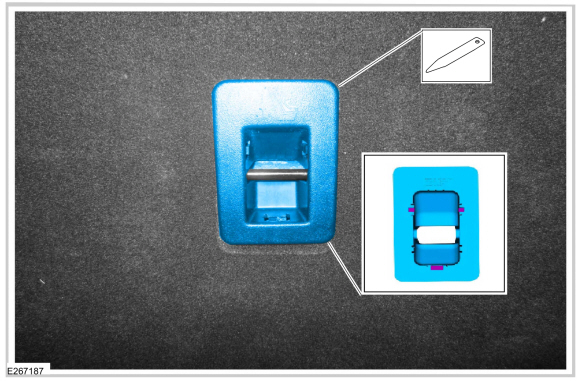
Remove the child safety seat tether anchor bezel.
-
On both sides.
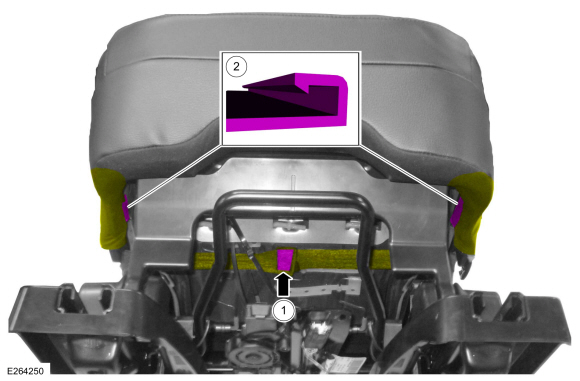
Unzip the second row center seat backrest cover.
-
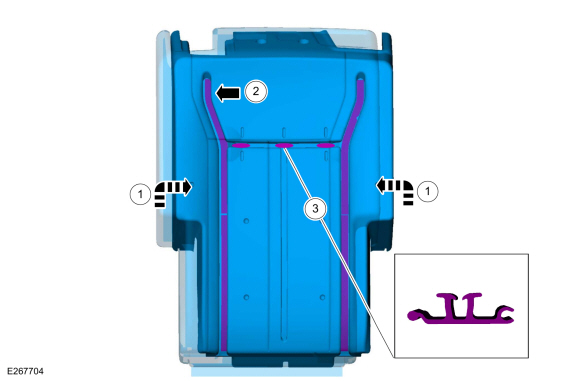
Release the second row center seat backrest cover retainers.
-
Remove the second row center seat backrest J-clip.
-
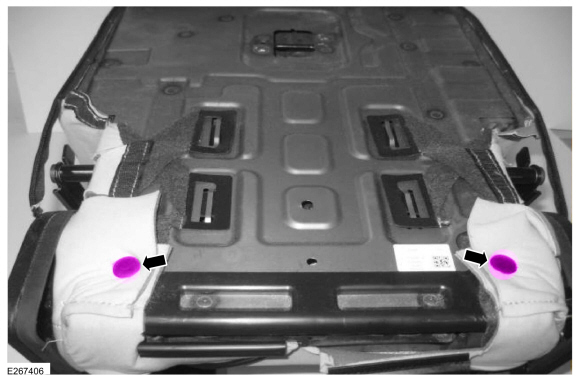
Remove the second row center seat backrest cover pin-type retainers.
-
Detach the second row center seat backrest cover
retainers and position the straps and retainers through the inside of
the side shields to the front of the seat.
-
Position the second row center seat backrest cover retainer forward.
-
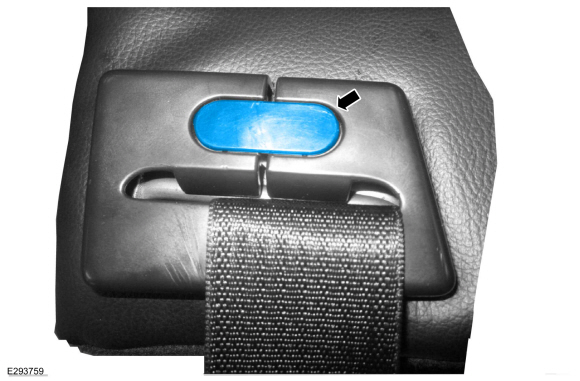
Remove the center seatbelt retractor bezel screw cover.
-
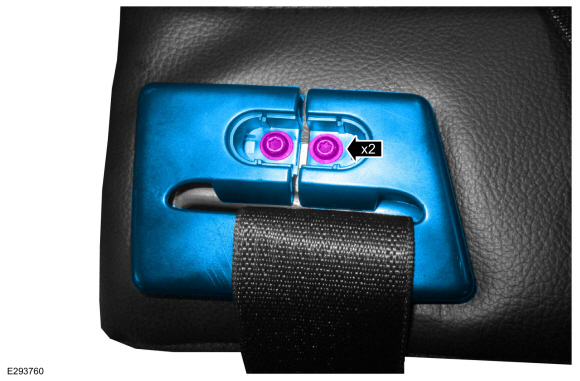
Remove the screws and the center seatbelt retractor bezel.
-
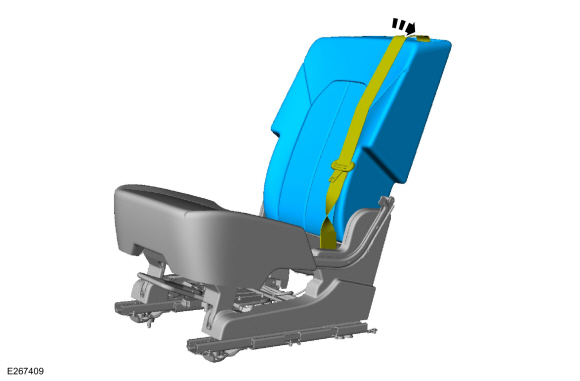
Remove the second row center seat backrest cover and foam as an assembly.
-
Route seatbelt through backrest cover and foam.
-
NOTICE:
Use care when separating the backrest cover from the
hook-and-arrows, or the hooks can be torn from the backrest foam pad.
NOTICE:
Use care when separating the backrest trim cover
from the hook-and-loop strips or the hook-and -loop strips may be torn
from the back rest foam pad.
NOTE:
This step is only necessary when installing a new component.
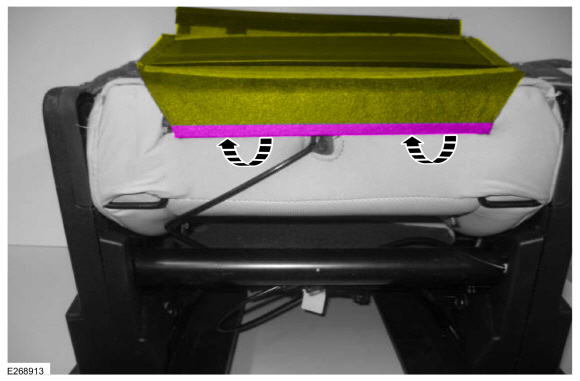
Invert the cover, release the retainers and remove the second row center seat backrest cover.
Installation
NOTE:
During installation, make sure the seatbelt webbing is not
twisted and the seatbelts and buckles are accessible to the occupants.
-
To install, reverse the removal procedure.
Removal
WARNING:
The following procedure describes critical repair steps
required for correct seat component installation. Follow all notes and
steps carefully...
Removal
NOTE:
Removal steps in this procedure may contain installation details.
Remove the second row center seat.
Refer to: Second Row Center Seat (501-10B Second Row Seats, Removal and Installation)...
Other information:
Special Tool(s) /
General Equipment
Interior Trim Remover
Removal
NOTE:
LH shown, RH similar.
Remove the C-pillar trim panel.
Refer to: C-Pillar Trim Panel (501-05 Interior Trim and Ornamentation, Removal and Installation)...
DTC Chart: Driver Door Module (DDM)
Diagnostics in this manual assume a certain skill level and knowledge of Ford-specific diagnostic practices. REFER to: Diagnostic Methods (100-00 General Information, Description and Operation).
DDM
DTC Chart
DTC
Description
Action
B1087:83
..

 Second Row Center Seat. Removal and Installation
 Second Row Center Seat Cushion Cover. Removal and Installation